 Clipstack
Quick panel
Floats over whatever you’re doing without stealing focus. Search as you type and filter by text, links, images, files or pins.
Clipstack quietly keeps your clipboard history on your Mac. Hit the shortcut, type a few letters, press return, and it’s pasted into the app you were already in.
brew install --cask chiranjeebhub/tap/clipstackA working replica of the quick panel. Search it, filter it, and press return to copy an item.
Built in SwiftUI and AppKit, so it feels like part of macOS and stays out of your way until you call it.
Floats over whatever you’re doing without stealing focus. Search as you type and filter by text, links, images, files or pins.
Press return and the item lands in the app you were using. ⌥↩ strips formatting, and ⌘1–9 pastes the top nine instantly.
Pin addresses, snippets and replies you reuse. History limits never remove them, and they sit in the menu bar with ⌥1–9.
Text, code, links, images, files and colors each get a proper preview. Fix a typo in a copied snippet with ⌘E.
Turn it on and your history, pins, settings and shortcut follow you to your other Macs and come back after a reinstall.
Every item shows the app it was copied from, so you can find that link from Safari or that line from Terminal at a glance.
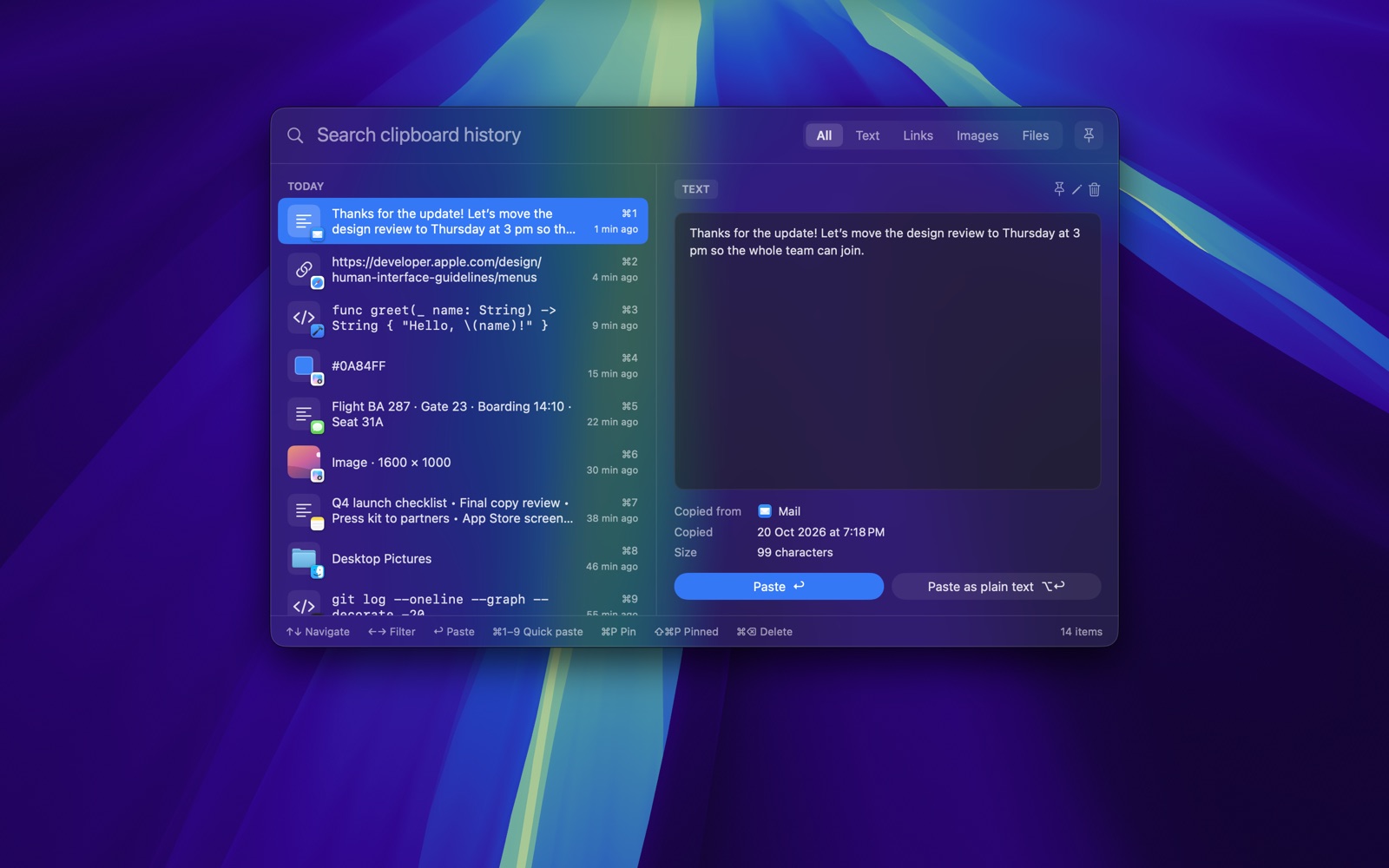
Search, filter and preview everything you’ve copied, then paste with return.
Watch it in action: copy, press ⇧⌘V, search and paste.
Clipboards hold passwords, addresses and private messages. Clipstack is built so that the only person who ever sees them is you.
One line in Terminal.
brew install --cask chiranjeebhub/tap/clipstack“ClipStack: Clipboard History” is with Apple for review and will be listed soon.
Requires macOS 14 Sonoma or later. The App Store and direct versions share the same history, so install just one. On first launch Clipstack asks for Accessibility access, which macOS requires before an app can paste for you.
Clipstack is MIT-licensed and built in the open. If it saves you a few seconds a day, a star helps other people find it, and a sponsorship or a coffee keeps new features coming.
macOS only lets an app send ⌘V to other apps once you allow Accessibility. Clipstack uses it for that one job and never reads your keystrokes or screen. Without it, choosing an item copies it and you paste it yourself.
No. Password managers mark what they copy as concealed or transient, and Clipstack skips those items. You can also add any app to Ignored Apps.
Yes. ⇧⌘V is the default, and you can record any shortcut you like in Settings.
Yes, if you turn on iCloud sync. History, pins, settings and your shortcut sync through your own private iCloud database. It’s off by default.
You choose how long items are kept and the maximum number of items. Pinned items are never removed by those limits.